



Contaminant Comparison Chart

For a complete list of contaminants that PUR filters reduce, please view our Performance Data Sheets here.


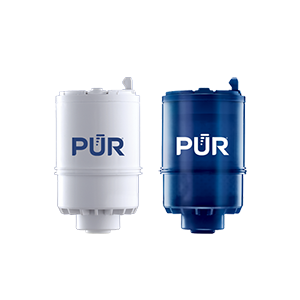
PUR & PUR PLUS FAUCET FILTERS
RF3375/RF9999

View Filters

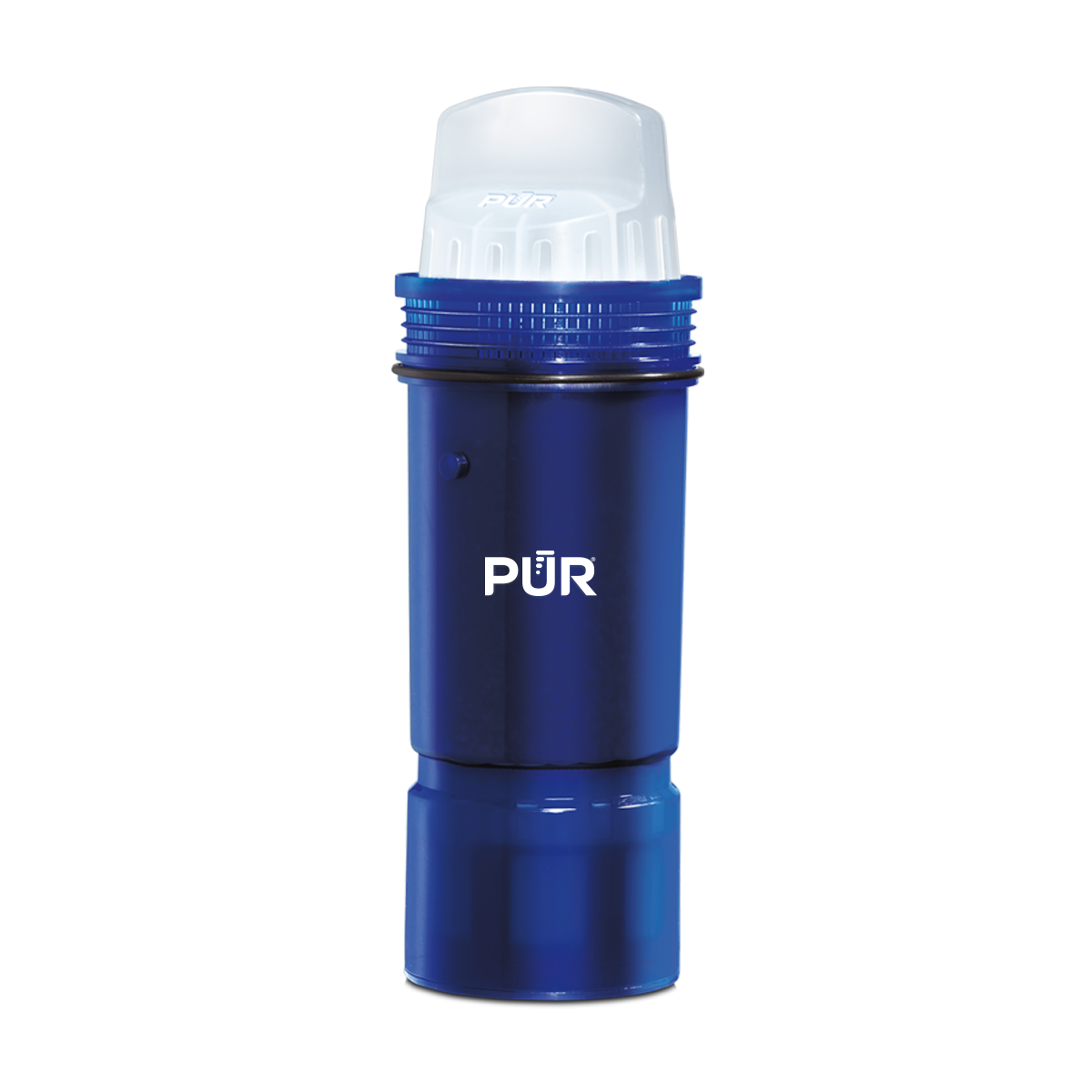
PUR PLUS PITCHER FILTERS
PPF951K

View Filter

PUR BASIC PITCHER FILTERS
PPF900Z

View Filter


Vs. Brita*

Lead ✓ ✓
Microplastics ✓ ✓
Mercury ✓ ✓ ✓
Chlorine Taste & Odor ✓ ✓ ✓
DEET ✓
TTHM ✓

PUR’s Filtration Systems Are Certified By NSF And WQA For Their Contamination Reduction. WQA certifications as of 5/27/21 for Faucet filter models RF-3375 and RF-9999.

¹ Certified to reduce 10X more chemical and physical substances than Brita’s® leading pitcher filter.
² Certified to reduce 3X more chemical and physical substances than Brita’s® leading pitcher filter.
³ Certified to reduce 2X more chemical and physical substances than Brita’s® leading pitcher filter.
*Versus best-selling Brita® pitcher filter OB03. Brita® is a trademark of Brita LP.
**Like other leading brands, PUR does not filter microbes. As of 3/1/23 Brita® and ZeroWater® were not certified to filter microbes. Brita® is a trademark of Brita LP. ZeroWater® is a trademark of Zero Technologies, LLC..

 

PUR & PUR PLUS FAUCET FILTERS


PUR & PUR PLUS FAUCET FILTERS
RF3375/RF9999

View Filters


Vs. Brita*

Lead ✓
Microplastics ✓
Mercury ✓
Chlorine Taste & Odor ✓
DEET ✓
TTHM ✓

PUR’s Filtration Systems Are Certified By NSF And WQA For Their Contamination Reduction. WQA certifications as of 5/27/21 for Faucet filter models RF-3375 and RF-9999.

¹ Certified to reduce 10X more chemical and physical substances than Brita’s® leading pitcher filter.
² Certified to reduce 3X more chemical and physical substances than Brita’s® leading pitcher filter.
³ Certified to reduce 2X more chemical and physical substances than Brita’s® leading pitcher filter.
*Versus best-selling Brita® pitcher filter OB03. Brita® is a trademark of Brita LP.
**Like other leading brands, PUR does not filter microbes. As of 3/1/23 Brita® and ZeroWater® were not certified to filter microbes. Brita® is a trademark of Brita LP. ZeroWater® is a trademark of Zero Technologies, LLC..


PUR PLUS PITCHER FILTERS


PUR PLUS PITCHER FILTERS
PPF951K

View Filter


Vs. Brita*

Lead ✓
Microplastics ✓
Mercury ✓
Chlorine Taste & Odor ✓
DEET
TTHM

PUR’s Filtration Systems Are Certified By NSF And WQA For Their Contamination Reduction. WQA certifications as of 5/27/21 for Faucet filter models RF-3375 and RF-9999.

¹ Certified to reduce 10X more chemical and physical substances than Brita’s® leading pitcher filter.
² Certified to reduce 3X more chemical and physical substances than Brita’s® leading pitcher filter.
³ Certified to reduce 2X more chemical and physical substances than Brita’s® leading pitcher filter.
*Versus best-selling Brita® pitcher filter OB03. Brita® is a trademark of Brita LP.
**Like other leading brands, PUR does not filter microbes. As of 3/1/23 Brita® and ZeroWater® were not certified to filter microbes. Brita® is a trademark of Brita LP. ZeroWater® is a trademark of Zero Technologies, LLC..


PUR BASIC PITCHER FILTERS


PUR BASIC PITCHER FILTERS
PPF900Z

View Filter


Vs. Brita*

Lead
Microplastics
Mercury ✓
Chlorine Taste & Odor ✓
DEET
TTHM

PUR’s Filtration Systems Are Certified By NSF And WQA For Their Contamination Reduction. WQA certifications as of 5/27/21 for Faucet filter models RF-3375 and RF-9999.

¹ Certified to reduce 10X more chemical and physical substances than Brita’s® leading pitcher filter.
² Certified to reduce 3X more chemical and physical substances than Brita’s® leading pitcher filter.
³ Certified to reduce 2X more chemical and physical substances than Brita’s® leading pitcher filter.
*Versus best-selling Brita® pitcher filter OB03. Brita® is a trademark of Brita LP.
**Like other leading brands, PUR does not filter microbes. As of 3/1/23 Brita® and ZeroWater® were not certified to filter microbes. Brita® is a trademark of Brita LP. ZeroWater® is a trademark of Zero Technologies, LLC..


Best Industrial PC Monitors for 2026

Industrial automation is expanding, and the screens guiding operators must keep pace. The International Federation of Robotics reported 4,281,585 industrial robots operating worldwide in 2023, a 10% increase from 2022. That figure does not measure monitor demand directly. It does show why dependable human-machine interfaces matter on busy production floors.

For 2026, the right Industrial Pc Monitor is not simply the brightest or largest display. It must remain readable beneath overhead glare, respond reliably to gloved hands, and fit the control panel without awkward cabling. Fanless designs can reduce dust intake; sealed fronts can simplify cleaning. Yet ratings alone cannot predict how a display will feel during a long shift. That deserves more attention than many buying guides give it.

Human-factors expert Don Norman wrote, “Good design is actually a lot harder to notice than poor design, in part because good design fits our needs so well that the design is invisible” in The Design of Everyday Things. His point is useful here: operators should focus on the process, not struggle with the interface. This guide compares industrial PC monitors by display clarity, touch performance, durability, connectivity, and serviceability. It also considers practical trade-offs, including glare, mounting space, and replacement access. No model suits every plant. A polished specification sheet may still miss what happens beside a vibrating machine or a sunlit loading bay. The best choice begins with the actual work environment—and a little skepticism.

Best Industrial PC Monitors for 2026

Industrial PC Monitors: Core Features and Applications

Best Industrial PC Monitors for 2026
Industrial PC Monitors: Core Features and Applications

An industrial PC monitor is the operator’s working surface, not just a screen. On a production line, it may display machine status beside moving equipment, oil mist, or bright overhead lights. Look for a readable display, sturdy enclosure, and touch controls that work with gloves. Capacitive touch feels familiar, while resistive touch can suit gloved or wet-hand operation. Check brightness, viewing angle, mounting options, and ports against the actual workstation. Small details matter. A monitor that works well in a clean control room may struggle near vibration or temperature swings.

These displays support machine control, warehouse dashboards, inspection stations, and process monitoring. Deloitte’s 2024 Smart Manufacturing Survey found that 86% of surveyed manufacturing executives expect smart manufacturing solutions to drive competitiveness within five years. That makes clear, dependable operator interfaces increasingly important, though a monitor alone cannot deliver a connected factory. Match its size and resolution to the information workers need at a glance, such as alarms, production counts, or a live equipment diagram. Check ingress protection and operating-temperature ratings against the installation environment, rather than assuming “industrial” means suitable everywhere. A glossy specification sheet can still mislead; real usability depends on the people, gloves, lighting, and workflow on site.

Key Requirements for Industrial Display Environments

In a production area, a display must do more than show a sharp image. Heat changes everything. Compare its rated operating range with temperatures inside the cabinet, where trapped heat can exceed room readings. Dust, oil mist, and cleaning spray may reach the bezel, connectors, or touch layer. Select a front seal and enclosure suited to those conditions, and inspect cable entry points. A sealed face cannot protect an exposed connector. Sunlight and overhead task lights affect readability, too. Check brightness, anti-glare treatment, and viewing angles from the operator’s actual position.

Vibration can loosen mounts over time, so confirm that the mounting pattern and fasteners suit the machine. Test touch response with the gloves workers really wear; a quick fingertip check is not enough. Match the display’s inputs to the control system, and leave room for cable bends behind the panel. Consider how replacement units will fit existing cutouts and how long spare parts will remain available. Specifications help, but they do not replace a trial in the real environment. Even a careful checklist can miss a glare hotspot at a particular shift, so inspect the screen under changing lights.

How to Evaluate Industrial Monitors for 2026

Choosing an industrial monitor for 2026 starts with the actual work environment, not a spec-sheet ranking. Measure ambient light near the machine; glare from overhead fixtures can make a bright display hard to read. Check viewing angles from the operator’s normal position. A screen that looks clear straight on may lose contrast when mounted beside a conveyor.

Test the touch panel with the gloves operators really wear. Confirm that the intended interface, such as HDMI, DisplayPort, or a serial connection, matches the controller. Review the stated operating-temperature range, enclosure protection, and vibration tolerance against site conditions. Then check mounting dimensions and access to cables. Small mismatches become daily annoyances. Ask how replacement units and technical support will be handled over the equipment’s expected service life. Specifications matter, but they do not replace a trial in the intended setting. One detail is easy to miss: reflections can change across a shift as sunlight moves. No checklist catches everything. A short pilot under real lighting and workload can expose weak touch response, awkward viewing angles, or an unexpectedly warm enclosure. Keep the test notes; informal impressions are useful, but recorded conditions make comparisons more reliable.

Best Industrial PC Monitors for 2026: How to Evaluate Ingress Protection

Compare the two digits in common IP ratings: the first indicates protection from solid objects and dust, while the second indicates protection from water. Higher digits indicate a higher defined protection level within that category.

IP ratings are defined by IEC 60529. Water-test conditions for IPX8 are specified by the manufacturer; the digits are code levels, not a linear measure of overall monitor quality. Check the product’s certification and installation requirements.

Leading Industrial Monitor Types and Their Strengths

Best Industrial PC Monitors for 2026

Leading Industrial Monitor Types and Their Strengths

Panel-mount monitors fit directly into a machine enclosure or control cabinet, keeping the operator interface close to the process. Their flat fronts are easier to wipe down than exposed frames, and standard cutouts can simplify replacement. Check cabinet depth and connector clearance before choosing one; a screen that fits the opening may still crowd the wiring behind it.

Open-frame monitors suit equipment builders who want to integrate a display into a custom housing. They can produce a clean, purpose-built control station, but the enclosure must provide adequate protection from dust, impact, and moisture. A rugged sealed monitor is often a better choice on a washdown floor or near airborne debris. Look for a specified ingress rating, not just a tough-looking bezel.

Sunlight-readable displays help when operators work near windows or under strong overhead lighting. High brightness improves visibility, though it can add heat and power demand. Touchscreen choice matters, too: projected capacitive touch feels familiar and responds to light contact, while resistive touch can work with gloves or a stylus. It depends on the job. I would not assume one type suits every shift; gloves, cleaning routines, and viewing angles can change the experience. Small details count. A slightly imperfect fit during testing is useful feedback, not something to ignore.

Best Industrial PC Monitors for 2026 – Leading Industrial Monitor Types and Their Strengths

Monitor Type Typical Configuration Key Strengths Considerations Best-Fit Applications
Resistive Touch Pressure-sensitive touch layer; commonly operated with a finger, gloved hand, or stylus. Works with many glove types and input tools; does not rely on skin conductivity; useful where precise, deliberate input is needed. Usually supports less natural multitouch interaction than projected capacitive screens; the touch layer can reduce optical clarity. Machine controls, process stations, and work areas where operators use gloves or a stylus.
Projected Capacitive Touch Capacitive touchscreen, often with multi-touch support; glove operation depends on the panel and configuration. Clear, responsive touch surface; supports familiar gestures and is easy to clean when designed with a smooth front. Glove, moisture, and contaminant performance varies by design; confirm compatibility with the intended operating conditions. Modern HMI systems, inspection interfaces, and frequently cleaned operator stations.
Sunlight-Readable High-brightness display, commonly around 1,000 nits or more; some designs use optical bonding or anti-reflective treatments. Improves screen visibility in bright ambient light and near windows or outdoors. Higher brightness can increase power use and heat; direct-sun visibility also depends on reflections, viewing angle, and installation. Outdoor equipment, vehicle terminals, loading areas, and bright production spaces.
Panel-Mount / Front-Sealed Display fitted into a cabinet cutout, often with a gasketed front bezel. Creates a tidy, integrated operator interface and can help protect the cabinet opening from dust or water at the front. Ingress protection depends on the complete installation, including the gasket, cutout, and mounting; front protection does not necessarily protect the rear. Control cabinets, production lines, and machinery with a fixed operator panel.
Open-Frame Display assembly without a conventional finished enclosure, designed for integration into a larger housing. Flexible for custom enclosures, kiosks, and machine designs; can simplify integration where space or bezel shape is constrained. The integrator must provide suitable mechanical support, protection, cable management, and thermal design. Custom machinery, self-service terminals, and embedded control panels.
Rack-Mount Monitor built for installation in a standard equipment rack, with front-facing controls and connections depending on the design. Makes efficient use of rack space and provides convenient access in centralized equipment rooms. Check rack-unit height, depth, mounting hardware, ventilation clearance, and viewing ergonomics before installation. Control rooms, test benches, server rooms, and centralized monitoring systems.
Ruggedized / Wide-Temperature Display engineered for a broader operating temperature range or increased resistance to vibration and shock; ratings vary by model. Can provide more dependable operation in demanding environments when matched to the specified temperature and mechanical conditions. Verify published operating limits, vibration test conditions, mounting requirements, and any enclosure or ingress rating. Mobile equipment, factory floors, transportation systems, and installations exposed to temperature variation or vibration.

Specifications and protection levels vary by model. Confirm display brightness, touch compatibility, operating-temperature limits, and installed-system ratings against the requirements of the intended application.

Installation, Compatibility, and Long-Term Maintenance

Choosing an industrial PC monitor for 2026 starts with the installation site, not the screen size. Measure the panel cutout and mounting depth, then leave room for cables and ventilation. A cabinet door may close during testing but pinch a connector after repeated use. Check the monitor’s mounting pattern, weight, and front-panel sealing against the enclosure. Small gaps matter.

Compatibility deserves a hands-on check. Match the monitor’s resolution and input type to the computer, and confirm the operating system supports its touch interface. In bright work areas, test readability from the operator’s usual position. Gloves, dust, or moisture can also affect touch response. Specifications do not show everything.

Tips: Keep a labeled spare cable nearby. Record the display settings and installation date. During routine service, inspect seals, connectors, and the screen for scratches. Use cleaning products approved for the surface; harsh solvents can cloud protective coatings. Maintenance intervals may need adjustment in dusty or high-vibration areas.

Long-term reliability depends on the whole installation. Secure cables so machine vibration does not pull on ports, and avoid blocking cooling paths. Keep a simple log of intermittent flicker, touch errors, or loose fittings; small changes can reveal a developing fault. It is easy to blame the monitor too quickly. Check the signal source and power connection before replacing hardware. A practical review after the first few weeks can catch issues that a bench test missed.