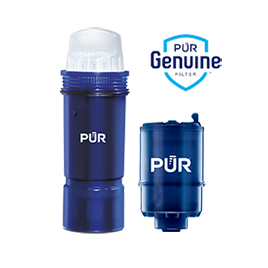


Contaminant Comparison Chart

For a complete list of contaminants that PUR filters reduce, please view our Performance Data Sheets here.


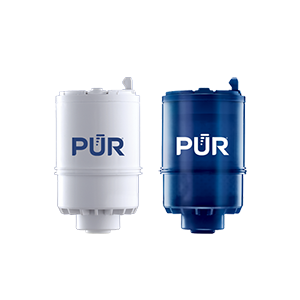
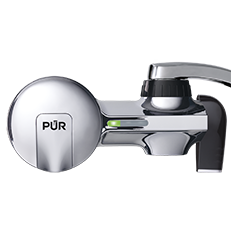
PUR & PUR PLUS FAUCET FILTERS
RF3375/RF9999

View Filters

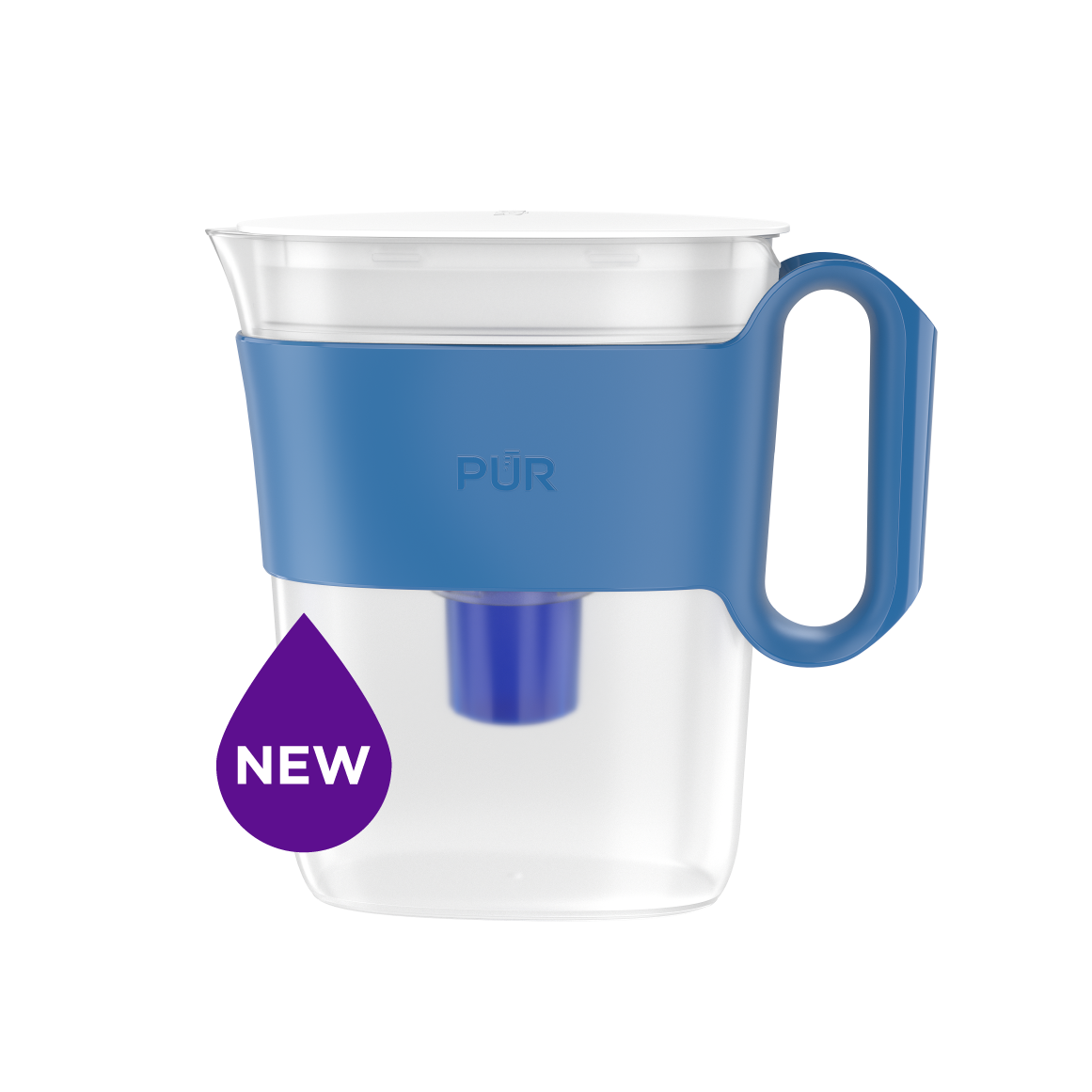
PUR PLUS PITCHER FILTERS
PPF951K

View Filter

PUR BASIC PITCHER FILTERS
PPF900Z

View Filter


Vs. Brita*

Lead ✓ ✓
Microplastics ✓ ✓
Mercury ✓ ✓ ✓
Chlorine Taste & Odor ✓ ✓ ✓
DEET ✓
TTHM ✓

PUR’s Filtration Systems Are Certified By NSF And WQA For Their Contamination Reduction. WQA certifications as of 5/27/21 for Faucet filter models RF-3375 and RF-9999.

¹ Certified to reduce 10X more chemical and physical substances than Brita’s® leading pitcher filter.
² Certified to reduce 3X more chemical and physical substances than Brita’s® leading pitcher filter.
³ Certified to reduce 2X more chemical and physical substances than Brita’s® leading pitcher filter.
*Versus best-selling Brita® pitcher filter OB03. Brita® is a trademark of Brita LP.
**Like other leading brands, PUR does not filter microbes. As of 3/1/23 Brita® and ZeroWater® were not certified to filter microbes. Brita® is a trademark of Brita LP. ZeroWater® is a trademark of Zero Technologies, LLC..
 

PUR & PUR PLUS FAUCET FILTERS


PUR & PUR PLUS FAUCET FILTERS
RF3375/RF9999

View Filters


Vs. Brita*

Lead ✓
Microplastics ✓
Mercury ✓
Chlorine Taste & Odor ✓
DEET ✓
TTHM ✓

PUR’s Filtration Systems Are Certified By NSF And WQA For Their Contamination Reduction. WQA certifications as of 5/27/21 for Faucet filter models RF-3375 and RF-9999.

¹ Certified to reduce 10X more chemical and physical substances than Brita’s® leading pitcher filter.
² Certified to reduce 3X more chemical and physical substances than Brita’s® leading pitcher filter.
³ Certified to reduce 2X more chemical and physical substances than Brita’s® leading pitcher filter.
*Versus best-selling Brita® pitcher filter OB03. Brita® is a trademark of Brita LP.
**Like other leading brands, PUR does not filter microbes. As of 3/1/23 Brita® and ZeroWater® were not certified to filter microbes. Brita® is a trademark of Brita LP. ZeroWater® is a trademark of Zero Technologies, LLC..


PUR PLUS PITCHER FILTERS


PUR PLUS PITCHER FILTERS
PPF951K

View Filter


Vs. Brita*

Lead ✓
Microplastics ✓
Mercury ✓
Chlorine Taste & Odor ✓
DEET
TTHM

PUR’s Filtration Systems Are Certified By NSF And WQA For Their Contamination Reduction. WQA certifications as of 5/27/21 for Faucet filter models RF-3375 and RF-9999.

¹ Certified to reduce 10X more chemical and physical substances than Brita’s® leading pitcher filter.
² Certified to reduce 3X more chemical and physical substances than Brita’s® leading pitcher filter.
³ Certified to reduce 2X more chemical and physical substances than Brita’s® leading pitcher filter.
*Versus best-selling Brita® pitcher filter OB03. Brita® is a trademark of Brita LP.
**Like other leading brands, PUR does not filter microbes. As of 3/1/23 Brita® and ZeroWater® were not certified to filter microbes. Brita® is a trademark of Brita LP. ZeroWater® is a trademark of Zero Technologies, LLC..


PUR BASIC PITCHER FILTERS


PUR BASIC PITCHER FILTERS
PPF900Z

View Filter


Vs. Brita*

Lead
Microplastics
Mercury ✓
Chlorine Taste & Odor ✓
DEET
TTHM

PUR’s Filtration Systems Are Certified By NSF And WQA For Their Contamination Reduction. WQA certifications as of 5/27/21 for Faucet filter models RF-3375 and RF-9999.

¹ Certified to reduce 10X more chemical and physical substances than Brita’s® leading pitcher filter.
² Certified to reduce 3X more chemical and physical substances than Brita’s® leading pitcher filter.
³ Certified to reduce 2X more chemical and physical substances than Brita’s® leading pitcher filter.
*Versus best-selling Brita® pitcher filter OB03. Brita® is a trademark of Brita LP.
**Like other leading brands, PUR does not filter microbes. As of 3/1/23 Brita® and ZeroWater® were not certified to filter microbes. Brita® is a trademark of Brita LP. ZeroWater® is a trademark of Zero Technologies, LLC..


Why Choose 4K HDMI Over IP for AV Distribution?

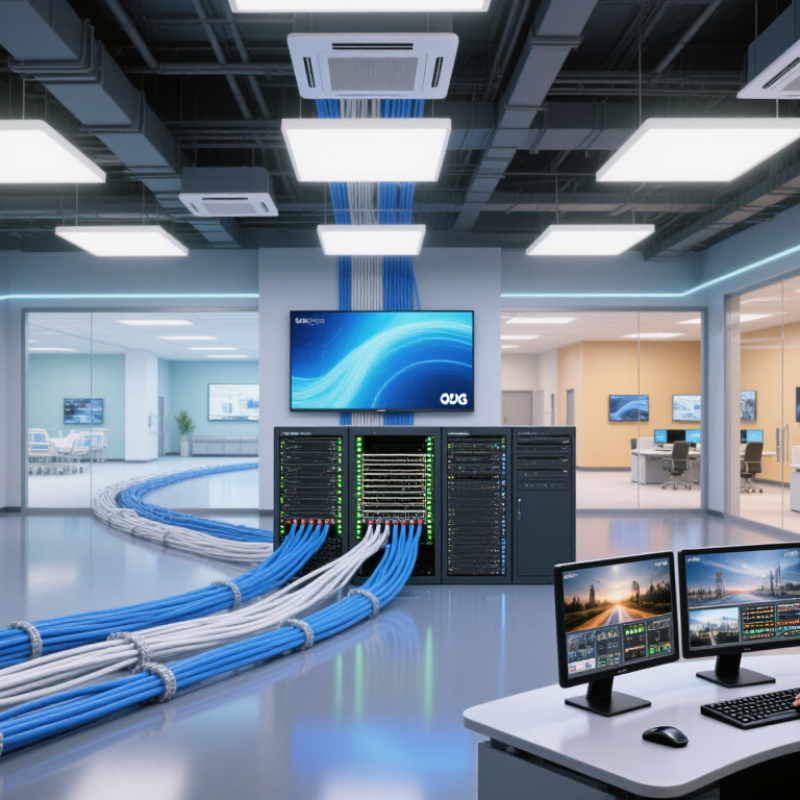
Choosing 4k Hdmi Over Ip can transform how video travels through a school, hospital, corporate campus, or entertainment venue. Instead of connecting every screen directly to a central matrix, AV signals move across a managed Ethernet network. A single control room can feed multiple displays, video walls, and meeting spaces through structured cabling. The result is a cleaner installation with greater room for expansion.

Justin Kennington, a recognized AV-over-IP specialist and SDVoE advocate, captures this change clearly: “The network is the new matrix.” His observation reflects a practical reality. Network infrastructure can scale more easily than fixed point-to-point wiring. It can also support centralized monitoring, flexible routing, and remote troubleshooting.

The details still matter.

A reliable 4k Hdmi Over Ip system needs suitable bandwidth, low-latency encoding, and careful switch configuration. Engineers must consider multicast behavior, IGMP management, EDID handling, HDCP compatibility, and cable distances. Poor planning can create frozen images, audio drops, or confusing signal paths. Those problems are avoidable, but not automatically.

Experience also challenges one common assumption. IP distribution is not always cheaper on day one. New switches, receivers, control software, and trained installers can increase the initial budget. However, the long-term value may appear when a facility adds displays or changes room layouts. A technician can often reroute signals through software instead of opening walls.

It is powerful, but imperfect.

This guide examines why 4k Hdmi Over Ip is becoming a practical choice for modern AV distribution. It focuses on image quality, scalability, installation realities, and the decisions that deserve closer technical review.

Why Choose 4K HDMI Over IP for AV Distribution?

4K Bandwidth Needs: 18 Gbps HDMI 2.0 and 48 Gbps HDMI 2.1

Why Choose 4K HDMI Over IP for AV Distribution?

A reliable 4K distribution design starts with bandwidth, not the connector. HDMI 2.0 provides up to 18 Gbps. That capacity supports 4K at 60 frames per second with 8-bit color and 4:4:4 chroma in suitable conditions. It leaves little room for demanding HDR formats or unusual timing settings. HDMI 2.1 raises the ceiling to 48 Gbps. This supports higher frame rates, deeper color, and more detailed gaming or simulation content.

Bandwidth is only part of the practical problem. A 4K HDMI-over-IP system must move video through encoders, network switches, and decoders. Uncompressed 4K traffic can exceed ordinary 10 GbE capacity. Compression becomes necessary. Visually lossless compression can reduce network demand while preserving small text, skin tones, and sharp interface lines. Poorly tuned systems may create blocking around subtitles or moving objects.

Test the complete signal path.

Field installation experience shows that cable length, switch buffering, and multicast settings can affect stability. A display may show video during testing, yet fail when several sources operate together. I have also found that “4K ready” specifications can hide limits on frame rate or color depth. Engineers should verify actual throughput, latency, EDID behavior, and recovery after a cable disconnect. The 48 Gbps figure sounds generous, but real networks still need overhead, reserve capacity, and careful configuration.

Why Choose 4K HDMI Over IP for AV Distribution? - 4K Bandwidth Needs: 18 Gbps HDMI 2.0 and 48 Gbps HDMI 2.1

Technical Dimension HDMI 2.0 HDMI 2.1 Why It Matters for 4K AV over IP
Maximum raw link bandwidth 18 Gbps TMDS 48 Gbps FRL The network and AV-over-IP endpoints must provide sufficient throughput for the selected video format, plus protocol and network overhead.
Approximate usable data rate Approximately 14.4 Gbps after 8b/10b encoding Approximately 42.7 Gbps at the 48 Gbps maximum after 16b/18b encoding Usable payload is lower than the headline link rate, so system design should include bandwidth headroom.
Typical 4K capability Up to 4K at 60 Hz with compatible color settings Supports higher 4K refresh rates and advanced video formats, depending on the source and display HDMI 2.1 is better suited to high-refresh 4K applications, while HDMI 2.0 can be adequate for standard 4K60 distribution.
4K60, 4:4:4, 8-bit video demand Approximately 17.82 Gbps of uncompressed video data Comfortably supported within the available link capacity A full-bandwidth 4K60 signal leaves little margin on an 18 Gbps interface once transport overhead is included.
4K120 suitability Generally not suitable for uncompressed 4K120 at full chroma and bit depth Designed to support high-bandwidth formats such as 4K120 when the complete system is compatible Useful for simulation, premium display, live production, and interactive applications requiring high frame rates.
Color sampling flexibility 4:4:4, 4:2:2, and 4:2:0 options depend on resolution, refresh rate, and bit depth Greater bandwidth enables more combinations of chroma sampling, refresh rate, and bit depth Higher chroma fidelity is important for text, computer interfaces, signage, and detailed graphics.
Color depth Commonly supports 8-bit and higher color depths within bandwidth limits Supports higher bit-depth configurations when supported by the source, display, and transport path Higher bit depth improves gradient smoothness but increases bandwidth requirements.
HDR transport Can transport HDR formats when the connected devices and content support them Provides more bandwidth headroom for HDR combined with high resolution, frame rate, and color depth AV-over-IP equipment must preserve HDR metadata and maintain adequate throughput end to end.
Uncompressed AV-over-IP bandwidth planning Often requires a dedicated high-speed path for each full-bandwidth 4K stream May require 25 GbE, 40 GbE, or higher infrastructure depending on stream format and architecture Switch capacity, uplinks, multicast handling, and aggregate traffic are as important as endpoint bandwidth.
Compressed AV-over-IP bandwidth planning Lower network rates are possible, depending on codec, image complexity, latency, and quality targets Higher-quality or lower-compression workflows may still require substantial network capacity Compression reduces bandwidth but may introduce latency, processing requirements, or image-quality trade-offs.
Latency considerations Low latency is possible with direct transport or lightly processed signals Low-latency transport is possible, but higher data rates can increase infrastructure and processing demands Interactive control, live events, and KVM applications require predictable end-to-end delay.
Scalability Point-to-point cabling can become complex as the number of sources and displays grows Higher bandwidth supports demanding sources, but switching and uplink capacity must scale accordingly Network-based distribution can simplify matrix expansion, routing, and multi-display management.
Recommended design approach Use for compatible 4K60 systems where bandwidth, cabling distance, and signal features are clearly defined Use when the design requires 4K120, high bit depth, high chroma fidelity, or additional bandwidth headroom Select the AV-over-IP transport, switching fabric, and endpoint capabilities based on the complete video format—not only the display resolution.

Note: Actual throughput requirements vary with resolution, refresh rate, chroma subsampling, color depth, compression, blanking intervals, packet overhead, and the capabilities of the complete AV system.

How HDMI over IP Extends 4K Signals Across 1GbE and 10GbE Networks

Why Choose 4K HDMI Over IP for AV Distribution?

HDMI over IP transports 4K video through standard Ethernet infrastructure. A 1GbE network can support carefully managed 4K streams, especially with efficient compression. A 10GbE network provides greater headroom for multiple sources, higher frame rates, and reduced congestion. In practical installations, this flexibility simplifies expansion. New displays can join the system without replacing long HDMI cables.

The signal still depends on network design. Multicast support, sufficient switching capacity, and stable bandwidth are essential. I have seen installations fail because the network looked fast on paper but lacked proper traffic management. Latency can remain low, but it is never automatically zero. Uncompressed transmission may require much more bandwidth. Compressed video can reduce demands, although image quality and delay need testing. This is where real measurements matter.

Tips: Confirm bandwidth before deployment. Test one 4K source and several receivers together. Check frame rate, color depth, and cable quality. Use managed switches with suitable multicast controls. Leave spare capacity for future devices. Do not trust a specification sheet alone. Room layouts often change, and a design that works today may need revision next year.

Why Choose 4K HDMI Over IP for AV Distribution?

HDMI over IP uses Ethernet infrastructure to distribute high-resolution AV signals across standard networks. A 1GbE link provides a nominal 1 Gbps line rate and generally requires efficient compression for 4K distribution, while 10GbE provides 10 Gbps and offers substantially more headroom for higher-quality 4K streams, lower latency, and multiple endpoints. Uncompressed 4K60 4:4:4 video can require up to approximately 18 Gbps of interface bandwidth, so practical deployments typically use compression or specialized transport methods.

Latency and Image Quality: Comparing Uncompressed and Compressed 4K Transport

Why Choose 4K HDMI Over IP for AV Distribution?

4K HDMI over IP can distribute high-resolution video across existing network infrastructure. The main decision concerns latency and image quality. Uncompressed transport preserves every pixel from the source. Text remains crisp, gradients look smoother, and motion feels immediate. This matters in control rooms, live production, medical training, and interactive displays. A delay of even a few frames can make keyboard input feel disconnected from the screen.

Compressed transport uses less bandwidth and supports longer, more flexible deployments. However, compression may introduce block noise, softened edges, or color changes during fast movement. These flaws are often subtle on presentation slides. They become obvious around small text, fine wiring diagrams, and dark scenes. In practical installations, network congestion can also increase delay. I have seen a clean image become unstable after several devices shared an overloaded switch. That result was not dramatic, but it was frustrating and easy to overlook during testing.

Tips: Measure end-to-end latency, not just encoder specifications. Test real content, including scrolling text and rapid camera movement. Check image quality at the viewer’s actual distance. Reserve network capacity for peak traffic. Uncompressed transport is usually safer for critical timing, but it demands more bandwidth. Compressed transport can be sensible for large systems. The compromise is rarely perfect. Document both options before choosing.

Scalability, Routing, and Multiview Control in Large AV Installations

Why Choose 4K HDMI Over IP for AV Distribution?

In large AV installations, 4K HDMI over IP turns separate display links into a flexible network. Each encoder carries a source, while decoders feed displays, projectors, or recording stations. This structure supports growth without rebuilding the entire signal path.

Scalability becomes practical when a venue adds rooms or viewing points.

Network switches can connect new endpoints across existing copper or fiber pathways. A technician can route a presentation from a control room to several halls within seconds. Routing changes also reduce cable congestion behind equipment racks. Yet planning still matters. Bandwidth, switch capacity, latency, and traffic isolation need careful testing. A single overlooked uplink can restrict an otherwise capable system.

Multiview control is valuable in broadcast rooms, classrooms, and security operations.

Operators can place four 4K sources on one screen, enlarge one window, or monitor several rooms together. The layout can change without moving cables. That is the real advantage. In practice, control software may feel less intuitive than expected during urgent events. Testing scenes with real content, mixed resolutions, and long operating sessions exposes these weaknesses. Clear documentation and labeled endpoints make daily control safer and faster.

System Costs, Standards, and Future-Proofing for 4K AV Distribution

Why Choose 4K HDMI Over IP for AV Distribution?

System Costs, Standards, and Future-Proofing for 4K AV Distribution

4K HDMI over IP can reduce dedicated cabling when many displays share common sources. It also supports flexible routing, monitoring, and room expansion through standard network infrastructure. However, the lowest hardware price is not always the lowest project cost. Designers must include managed switches, transceivers, control software, configuration time, and technical support. MarketsandMarkets reported that the AV over IP market could grow from about $3.3 billion in 2023 to $5.9 billion by 2028. That growth reflects demand, but not every installation needs the same architecture.

Standards matter. HDMI 2.0 supports 4K at 60 frames per second with suitable color settings, while newer HDMI specifications can support higher bandwidth and advanced formats. HDCP compatibility must also be checked across sources, endpoints, and displays. A 10GbE network may carry visually lossless 4K signals, while 1GbE systems often require stronger compression. Real-world testing is essential. A clean diagram can still hide multicast errors, cable limits, or unexpected latency.

Tips: Reserve network capacity before adding endpoints. Use certified Category 6A cabling for demanding links. Document EDID, HDCP, and switching settings. AVIXA’s 2024 IOTA report forecast continued growth in professional AV spending, but future-proofing should remain practical. Sometimes, a smaller dedicated system is easier to maintain. That is worth admitting.

Article Source: